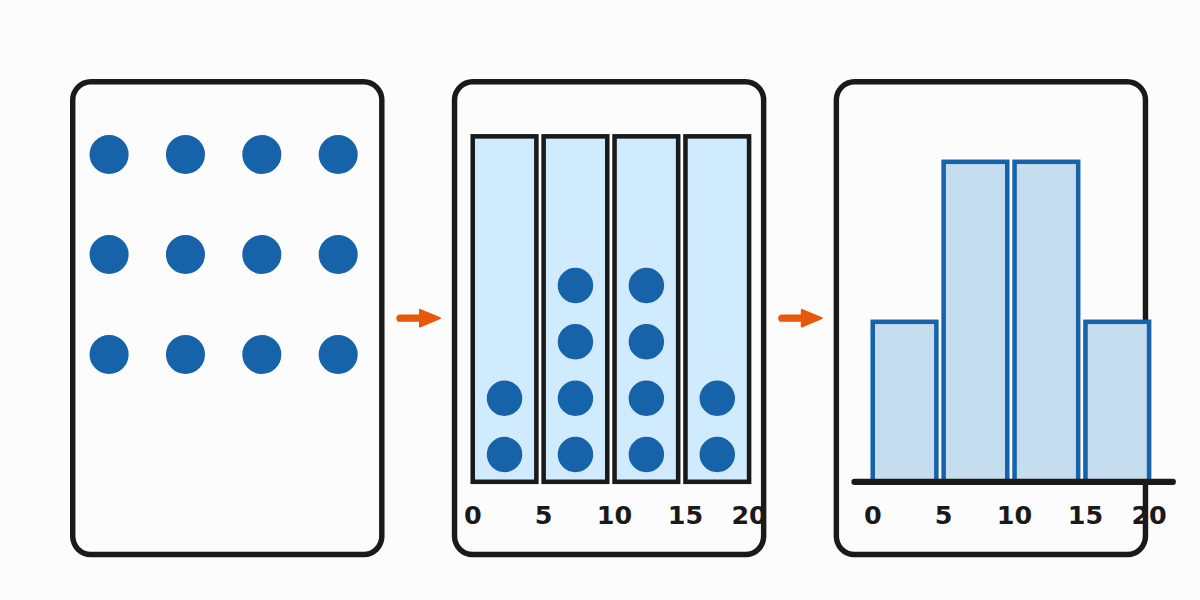
A histogram turns a list of numbers into a picture. The x-axis is split into equal bins (intervals) and the height of each bar shows how many values fall into that bin.
Step by step
- Find the range of the data (smallest and largest values).
- Choose 4–8 bins that cover the range evenly.
- Count how many values fall into each bin.
- Draw a bar above each bin with height equal to the count.
Example
Raw data: 12, 15, 21, 23, 24, 28, 31, 33, 35, 36, 38, 41.
- Range: 12 to 41.
- Bins of width 10: [10–20), [20–30), [30–40), [40–50).
- Counts: 2, 4, 5, 1.
The histogram has four bars with heights 2, 4, 5, 1.
Choosing bin width
- Too few bins (1–2): every bar is huge, no detail.
- Too many bins (one per value): you just see a "fence" with no pattern.
- 4–8 bins is usually right for Year 6.
What a histogram tells you
- Tallest bar = where most values land (modal class).
- Width of the spread = which bins have non-zero height.
- Shape = symmetric, skewed left, skewed right, bimodal…
Tips
- Bin boundaries must be unambiguous. Convention: `[a, b)` includes a, excludes b.
- All bins must be the same width.
- Label both axes — x-axis = the value, y-axis = the count.