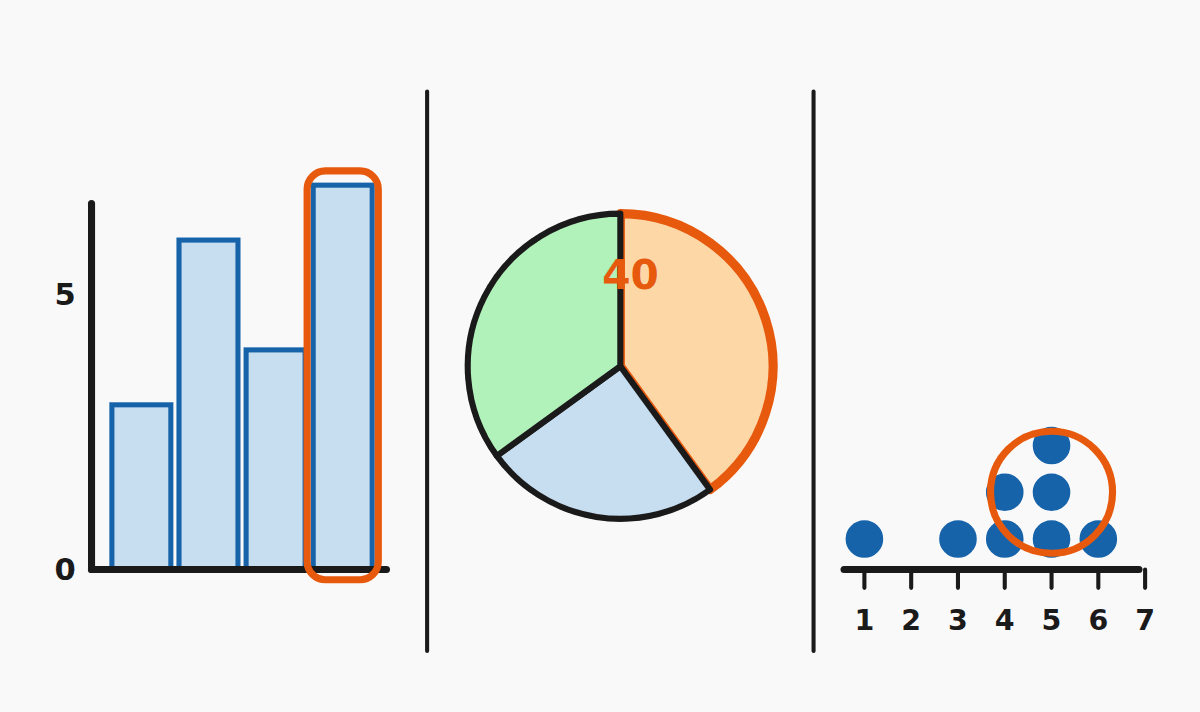
In Year 6 you learn three picture-style ways of showing data. Each one is good for a different kind of question.
Histogram
A histogram is a bar chart where the bars sit next to each other and the x-axis is a number line split into equal intervals (called bins).
- The height of a bar tells you how many values fall into that bin.
- All bins have the same width.
Example: if the bin "10–20" has a bar of height 7, that means 7 values were between 10 and 20.
Pie chart
A pie chart shows how a whole is split into groups. The full circle is 100 % and each slice is a percentage.
- Each slice's angle is its percentage of 360°.
- The slices add up to 100 %.
Example. A pie chart of 200 votes shows a 25 % slice for blue. That slice represents 25 × 200 ÷ 100 = 50 votes.count = (percent × total) ÷ 100
Dot plot
A dot plot puts a number line on the x-axis and stacks one dot per measurement above the value it took.
- Each dot is one piece of data.
- The column with the most dots is the mode (most common value).
Quick checklist
- Histogram? Find the bin → read the bar height.
- Pie chart? Multiply the percent by the total and divide by 100.
- Dot plot? Each dot is one measurement; count carefully.